
How to convert mono to stereo: dual mono, fake stereo or AI
Learn the three ways to convert mono to stereo: copying one channel, fake stereo effects and AI that rebuilds left and right, and check your file first.
What does converting mono to stereo actually mean?
Converting mono to stereo means turning a single audio channel into a left and a right channel that are different from each other, so instruments and reverb spread across both sides instead of piling up in the middle. The word that matters is "different": a file with two channels is not necessarily stereo.
Most people searching for this hold one of three kinds of file: an old song transferred from tape or disc, a rehearsal recorded on one microphone, or the sound of a phone video. All three sound narrow on headphones, and all three can be "converted" in three ways that give very different results.
This guide covers each method, how to check whether your file is really mono before you pay, then the steps in the Mono to Stereo tool and what to listen for in the result.
Dual mono, fake stereo and AI stereo: what is the difference?
Copying one channel puts the same signal on both left and right. The file reports two channels, but both sides are identical, so you still hear one sound image sitting between the speakers. This is usually called dual mono, and it is exactly how CDs store a mono source: two identical channels. Subtract the right channel from the left and you get pure silence, because nothing differs.
Fake stereo (pseudo-stereo) creates a difference with signal processing. The best known trick is the Haas effect: delay one side by a very short amount, short enough that the ear hears width rather than an echo. A related approach uses comb filtering: adding a signal to a delayed copy of itself produces a series of evenly spaced peaks and notches, and the two offset patterns are sent to the two sides.
AI stereo works differently. The model has learned from a large number of real stereo recordings which parts of a song usually sit left and which sit right, and it rebuilds two channels from the single one. The two channels then differ by musical content, not only by timing or phase.
A Haas-style fake stereo can sound very wide on headphones but is usually not mono compatible: a single-box Bluetooth speaker, a mono radio or a phone speaker can make that part quieter or change its tone through phase cancellation.
| Method | Do the channels differ? | When folded to mono | Good for |
|---|---|---|---|
| Copying one channel (dual mono) | No, identical | Unchanged from the original | Software that requires a two-channel file |
| Fake stereo: Haas delay | Yes, in timing | Can change tone, drop in level or lose detail | Secondary layers such as backing vocals or guitar doubles in a mix |
| Fake stereo: comb filtering | Yes, by frequency band | Tone shifts, the two sides differ in colour | A quick effect when accuracy does not matter |
| AI stereo | Yes, by musical part | A mono version of the new placement | Whole mono tracks: old music, single-mic recordings |
How do you check whether a file is really mono?
Check before you spend Energy, because running AI on a file that is already real stereo only replaces its original placement with a new one. There are two cases: a file with one channel, and a two-channel file whose sides are identical. Both are mono in content, and the tool handles both.
Open the file in the Spectrogram tool. Its technical details table shows the channel count, read in your browser while the file stays on your device. If the file has two channels, switch between L and R over the same passage: two near-identical pictures strongly suggest dual mono, while clear differences instrument by instrument mean real stereo.
A spectrogram only suggests, it does not prove the channels match sample for sample. The full procedure and its limits are in checking mono or stereo with left and right channels. If what you see is one side blank or much quieter, that is a channel fault rather than mono, covered in left and right audio channel problems.
Mono to Stereo also measures both channels when you pick a file. If the track is already real stereo, the page warns you so you can decide before pressing run.
How to convert mono to stereo with AI on Tách Nhạc
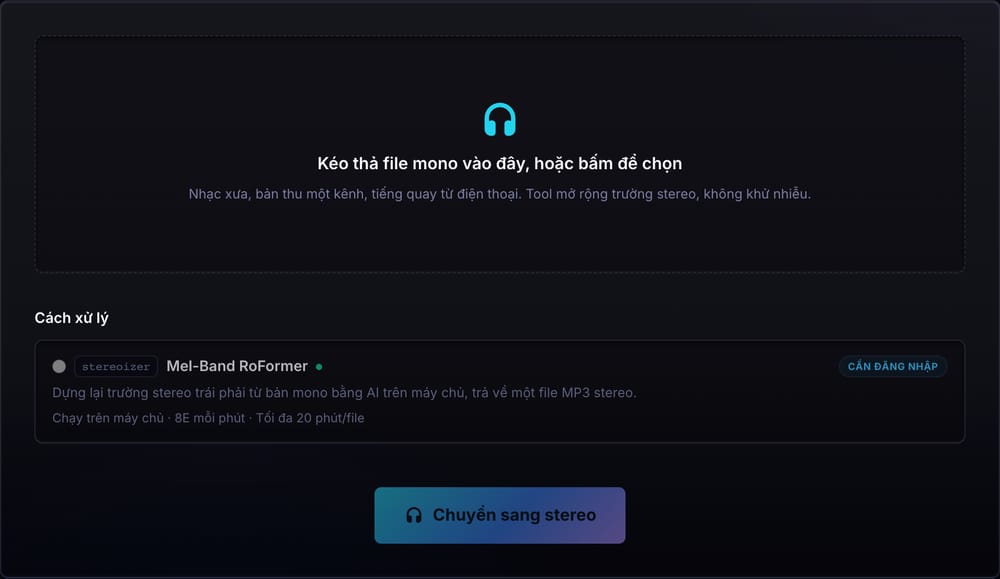
There is nothing to install: the heavy processing runs on the server, and your browser only sends the file and receives the result. The per-minute price and the length ceiling are shown on the tool page and on the pricing page, both read from the product data. A run that does not succeed gets its Energy back.
- Open Mono to Stereo and sign in. The tool is paid with Energy only and has no free runs.
- Drop or pick your file. Audio and video files are both accepted, so a phone clip works without pulling the audio out first.
- Read the Energy shown on the Convert to stereo button. The price follows the length of the track, and a track past the length ceiling of the tool cannot run.
- Press Convert to stereo. The file goes up to a GPU server and the page tells you when it is done. The wait is usually shorter than the track itself.
- Compare the original and the stereo version on the page, then download the 256 kbps stereo MP3.
Download the MP3 as soon as the run finishes: results are not kept indefinitely, and running again is a new run that costs Energy.
What should you listen for in the result?
Listen on headphones first, since left and right differences are clearest there. On the result screen the stereo version plays first with the original muted; press the other row to hear that version from the exact point that is playing. Pick a dense section such as a chorus and switch a few times.
Three things are worth checking: do instruments spread to the sides naturally, does the vocal stay solid in the middle, and does anything sound pulled hard to one side in an odd way. If your headphones swap or weaken a side, a correct file will still sound wrong, so run the left and right speaker and headphone test before you judge.
To see it rather than only hear it, the result screen has a button that opens the stereo file in Spectrogram, where you can switch L and R as in the check above. To set the AI version next to a fake stereo version you made in an editor, use Audio comparison: it plays several versions of one recording on one timeline and switches between them instantly, right in your browser.
What AI stereo can and cannot do
The left-right placement is a new construction, not the original stereo mix brought back. A mono file no longer holds where each instrument first stood, so the model can only place them in the most plausible way it has learned. A similar AI service abroad states the same thing about its own output: the stereo placement is an interpretation, not a recovery of an original mix.
Wider, not cleaner. The model does not remove noise and does not bring back lost highs. A hissy, heavily compressed or noisy recording keeps those flaws, they just spread across both sides.
A stereo file is mixed down to mono first. The tool merges both channels into one before rebuilding left and right, so running it on real stereo only loses the original placement. A two-channel file with identical sides is really mono and is handled normally.
The model behind the tool is Mel-Band RoFormer, an architecture first published for music source separation, the job of pulling vocals, drums and bass out of a song. That is why it reads a song part by part, rather than treating the whole sound as one block the way a delay effect does.
Folding the result back to mono gives a mono version of the new placement, not your original file. Keep the original.
Primary sources
- Mono sang Stereo
- Sound On Sound: Can Haas delays be mono-compatible?
- Sound On Sound: How can I create a fake M/S setup that is mono-compatible?
- iZotope: What is the Haas effect
- Wikipedia: Comb filter
- Wikipedia: Monaural
- Wang, Lu, Won: Mel-Band RoFormer for Music Source Separation (arXiv)
- Neural Analog: Mono to Stereo
Is copying one channel to both sides the same as converting mono to stereo?
No. Copying creates dual mono: the file has two channels, but both sides are identical, so it still sounds like mono piled in the middle. Real stereo needs two channels that differ.
Can AI recover the original stereo mix of a mono song?
No. The model builds a new left-right placement that is plausible given what it learned from real stereo recordings. Where the instruments originally stood is not in a mono file, so no tool can restore it.
Will converting mono to stereo make an old recording sound better?
It makes it wider, not cleaner. The tool does not remove noise or bring back lost highs, so a hissy recording stays hissy. Deal with the noise first if there is any.
How much does it cost to convert mono to stereo on Tách Nhạc?
It is priced in Energy per minute of music, and the Energy for your track shows on the button before you press run. See the rate and the length ceiling on the [pricing page](/en/pricing/). The tool needs sign-in, has no free runs, and a failed run gets its Energy back.