Left and right speaker and headphone test: how to check
Test left and right speakers and headphones in your browser: play each channel, spot swapped or unbalanced channels, a dead side, and fix it fast.
Why test left and right channels?
A left/right test confirms three things: the left channel comes out on the left, the right channel on the right, and both sides play at the same level. Get any one wrong and everything you hear through that device is skewed.
This matters when you judge audio: a mix that leans left could be the file, or just the headphone. Testing the gear first rules out the second case before you start fixing the file, as covered in left/right channel imbalance and missing-side problems.
How to test left and right, step by step
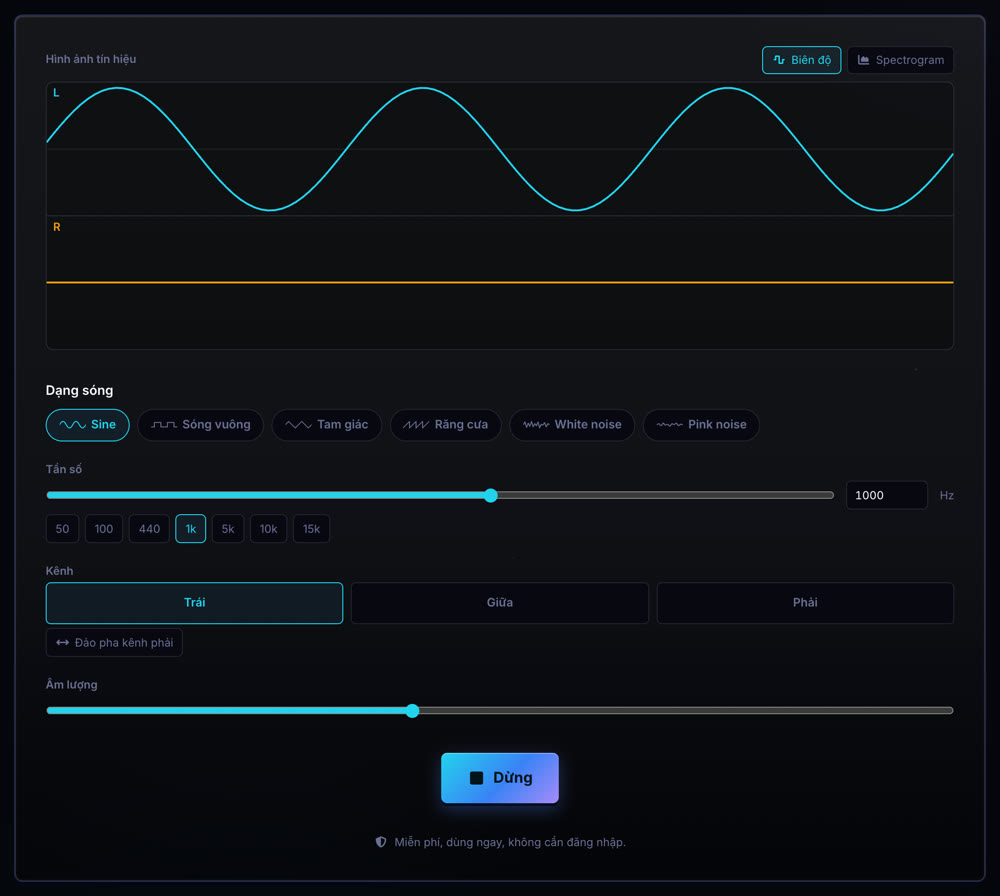
- Open the speaker and headphone test. Keep the defaults: a 440 Hz sine at a low volume.
- Wear the headphones the right way round using the L and R marks on the headband or housing. With speakers, sit centred between them.
- Press Play, then Left: the sound must come only from the left ear or speaker.
- Press Right: the sound moves fully to the right.
- Press Center: the sound sits in the middle of your head (headphones) or midway between the speakers.
Which results mean something is wrong?
| Symptom | Common cause | Fix |
|---|---|---|
| Left plays on the right | Headphones worn backwards, speaker cables swapped L and R | Wear them by the L/R marks, swap the two speaker cables |
| Left plays on both sides | Mono audio is switched on in the accessibility settings | Turn off mono audio in accessibility settings |
| Center leans clearly to one side | The system balance slider is off-centre, or one earpiece mesh is clogged | Reset balance to the centre, clean the earpiece mesh |
| One side is completely silent | Plug not fully inserted, broken cable, dead driver | Reseat the plug, try another cable and device |
| One side crackles or cuts out | Loose jack, internally broken cable, damaged driver | Gently wiggle the plug and cable while playing to locate the fault |
Which test signal should you use?
A 440 Hz or 1 kHz sine is the easiest sound to locate, enough to confirm left, right and centre. Human hearing localises very deep bass poorly, so do not test direction with 50 Hz.
Pink noise suits a balance comparison because it spreads its energy evenly across every octave. Switch between Left and Right with pink noise: both sides should have the same tonal colour. A side that sounds duller or harsher usually has a tired driver.
Worn correctly but still off: where is the fault?
Change one thing at a time: try another headphone on the same device, then the same headphone on another device. A fault that follows the headphone is the headphone; a fault that stays with the device is a setting or the port.
Once the gear checks out and a song still leans to one side, the fault is in the file. Open it in the L/R spectrogram and read checking mono and stereo audio with left and right channels.
Always start at a low volume and raise it gradually. According to the WHO, 80 dB is safe for about 40 hours a week at most; a continuous test tone through headphones can exceed that sooner than you expect.
Primary sources
Do I need to download an audio file to test left and right?
No. The tool generates the test tone in your browser, so it plays as soon as the page opens, with nothing to download or install.
Can I test Bluetooth headphones this way?
Yes, exactly like wired ones. If Left still plays on both sides, check the mono audio option in your phone or computer accessibility settings.
Why does Center still lean slightly to one side?
Usually the system balance slider is not centred, or one earpiece mesh is clogged. If both are fine and it still leans, the weaker driver may be wearing out.