
How to check mono or stereo audio with L/R spectrograms
Compare left and right channels to spot mono exports, duplicated channels, imbalance or a missing side while understanding the limits of the test.
A two-channel file is not necessarily stereo content
A “2 channels” label describes the container. If one mono signal is copied to both left and right, the file remains labelled stereo but has no independent spatial difference. This is commonly called dual mono.
A carefully produced music video, short film or master can still leave export as dual mono when an output bus, channel map or preset is wrong. A phone-speaker check may not reveal it; L/R comparison is a separate quality-control step.
Do not stop at a “2 channels” label. Inspect each channel in the final deliverable.
Compare L and R
- Open the spectrogram tool and load the final render.
- Play a dense section, then switch between Stereo, L and R.
- Keep one frequency range and colour scale; compare matching transients, vocals, bass and high-frequency energy.
- Listen to L and R separately, then check speakers and a mono sum.
- Inspect the output bus, pan, mapping and encoding preset if anything is wrong; export and test again.
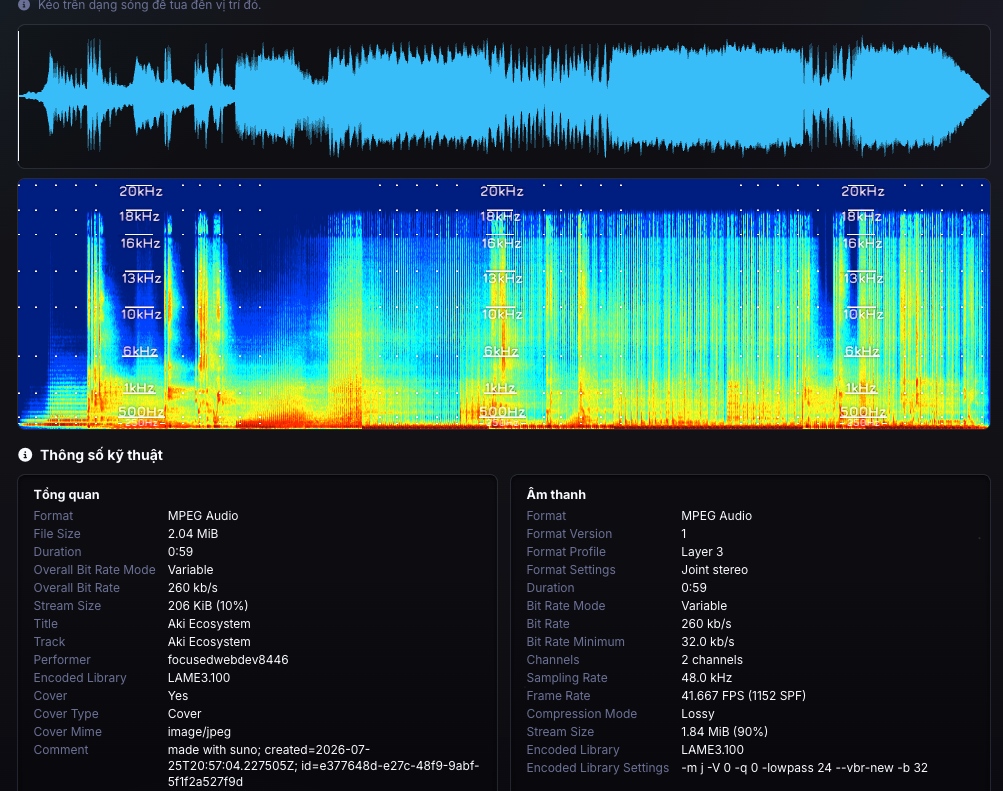
See it live: swapping L and R
The animation below swaps the left and right channels over the same passage. If the picture barely changes when swapped, the two channels are likely identical (dual mono). If the two sides clearly differ, it is real stereo.
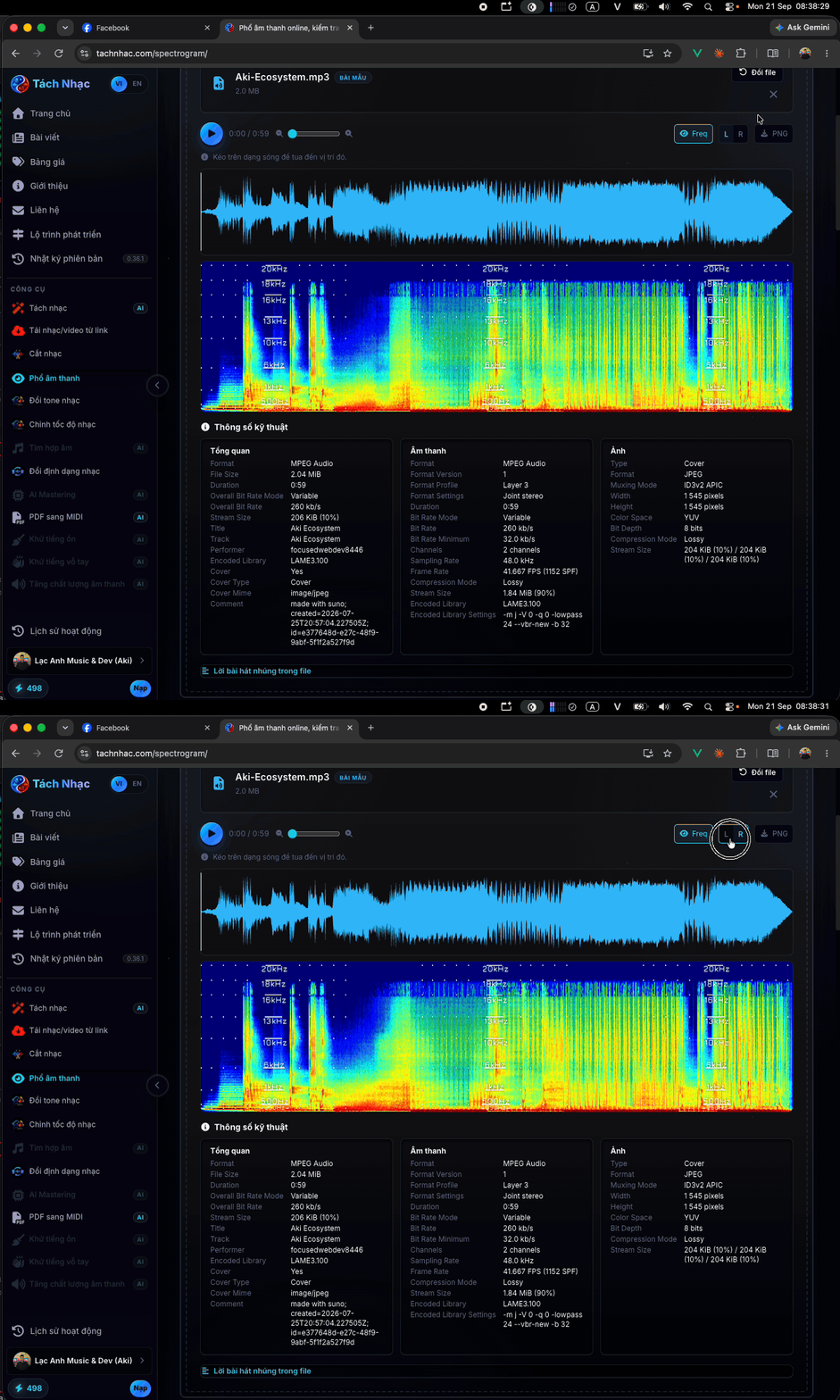
Read common patterns
| Pattern | What it supports | How to confirm |
|---|---|---|
| Nearly identical throughout | Suggests dual mono or high correlation; does not prove waveform identity | Compare L−R, waveforms or correlation |
| One side blank | No visible energy in that region and display range | Check meters and mapping |
| One side darker | Suggests broadband or frequency-limited imbalance | Measure peak, RMS or loudness |
| Only some elements differ | Consistent with intentional stereo distribution | Solo each side and check mono |
| Regular differences | May indicate pseudo-stereo processing | Inspect processing, Mid/Side and correlation |
When one side is blank or clearly weaker than the other, continue with how to find left/right imbalance or a missing channel.
What it proves, suggests and cannot diagnose
It proves in the displayed data: where visible time-frequency energy is present, absent or different between channels on a shared scale.
It suggests: dual mono, pseudo-stereo, imbalance or export trouble. Matching magnitude images can still come from different waveforms, including opposite polarity.
It cannot diagnose alone: the project-level cause, phase relationship, polarity, standards-compliant loudness or subjective quality. Use meters, waveforms, mono listening and export-chain context.
Use the spectrogram to locate a symptom; use measurement and listening to confirm its cause.
Pre-release checklist
For clipping, noise and frequency checks, continue with how to read a spectrogram for mixing.
- Test the final render.
- Verify channel count and mapping.
- Listen to L, R and the mono sum.
- Measure each channel when brightness differs.
- Check dense and quiet sections.
- Save the verified export preset.
Where to fix it once you have found the problem
The spectrogram tool only diagnoses: it shows and locates the problem, it does not edit the file. Once you have confirmed dual mono, an imbalance or a missing side, fix it in a DAW or audio editor: sum to mono correctly, correct the channel mapping or rebalance the levels, then export again and re-check the new file with the same L and R comparison above.
The spectrogram tells you where the problem is; fixing it happens in your editor and export stage, not in the viewer.
Primary sources
Do matching L/R spectrograms prove mono?
No. They strongly suggest dual mono or high correlation, but magnitude images do not prove waveform identity. Check L−R, waveforms or correlation.
Can mono audio be labelled stereo?
Yes. One mono signal can be copied to two channels, leaving a stereo label without independent stereo information.
Which file should I test?
Test the exact rendered or encoded deliverable because export and mapping can alter an otherwise correct project.
Does dual mono make a file larger than true mono?
Yes. Dual mono stores two identical channels, so it is close to twice the size of single-channel mono while carrying no extra spatial information.